QuickBooks integration - FAQs
How do I update my data from QuickBooks?
Most of the data is updated automatically shortly after it has been saved in QuickBooks Online.
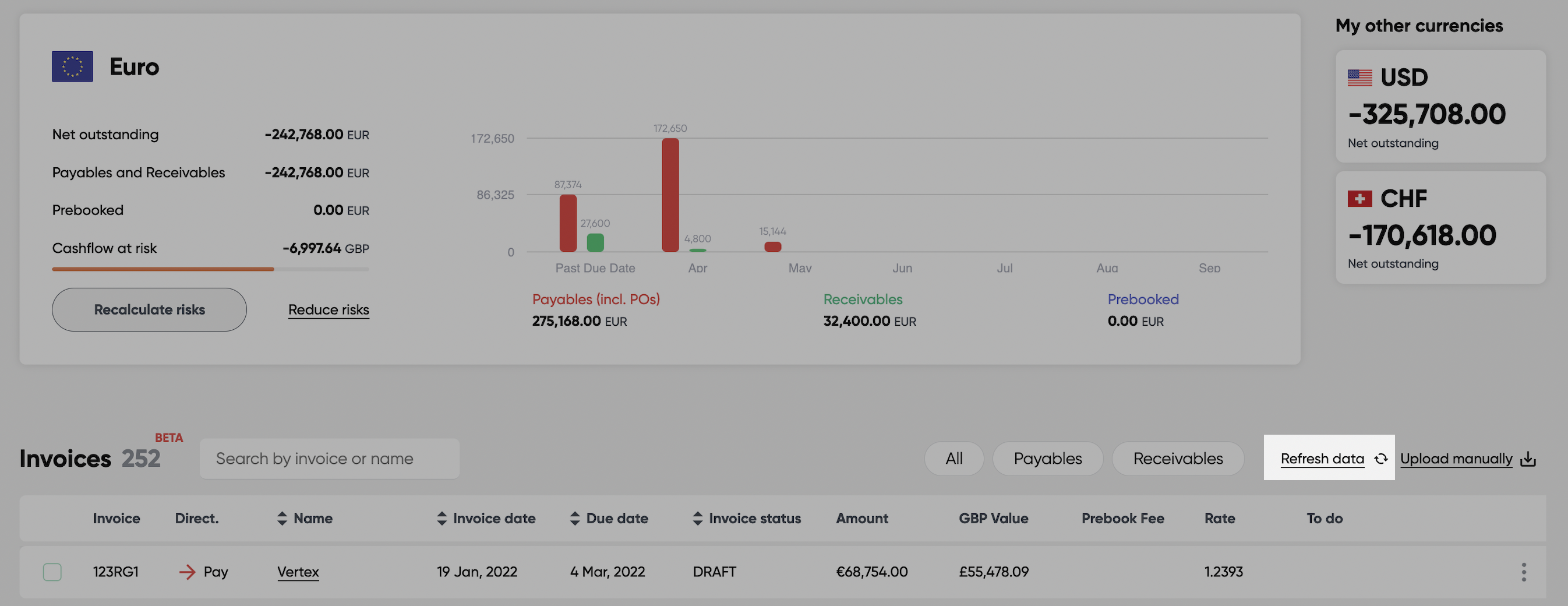
You can also manually update data from QuickBooks by clicking on the Refresh data link above the Invoices table or in the QuickBooks section of the Settings page:
How do I disconnect from QuickBooks?
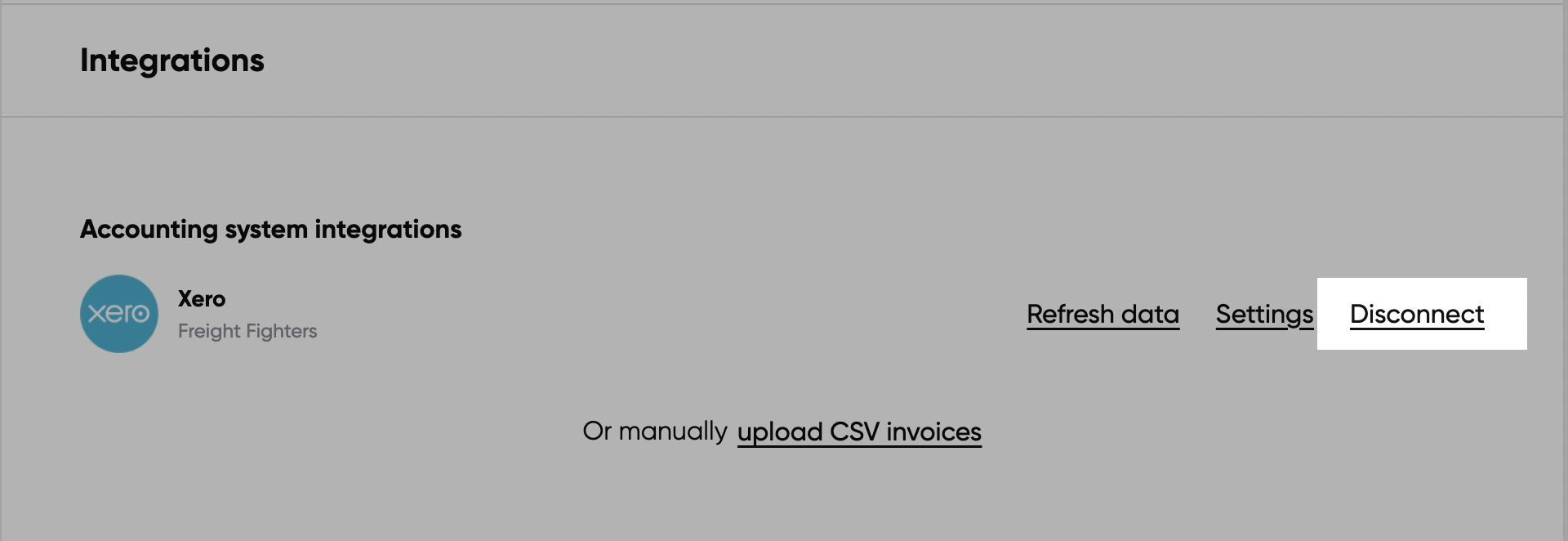
You can disconnect HedgeFlows from your QuickBooks account in the QuickBooks section of our Settings page:
Why can't I see my paid invoices?
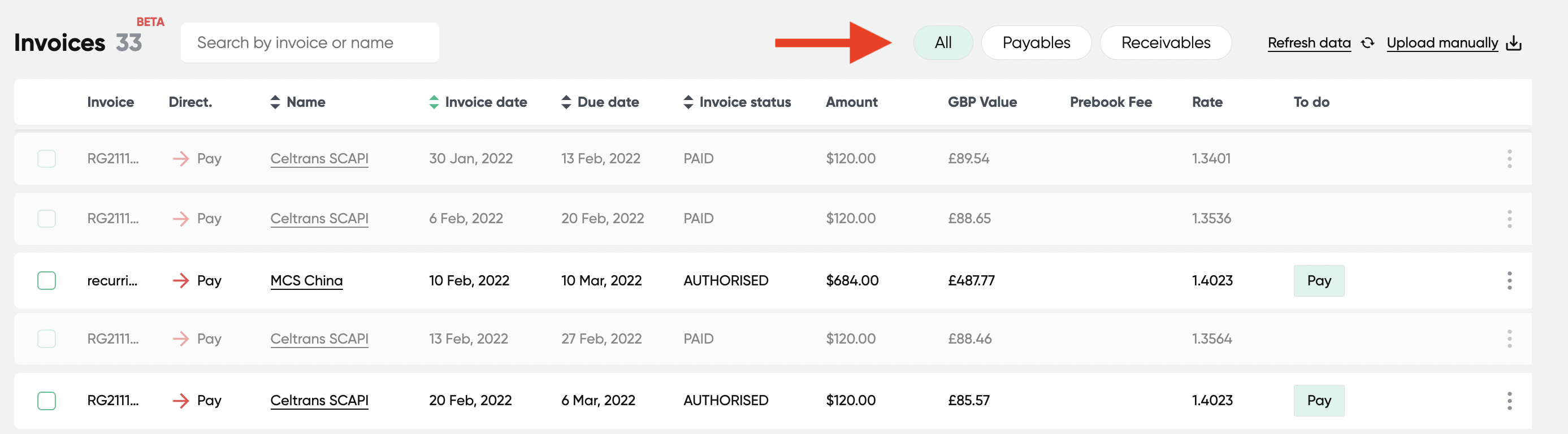
By default, we filter out paid and voided invoices from the Invoice table. You can include them in the table by clicking "All" in the top section of the table:
Can you process bulk payments and write them back to QuickBooks?
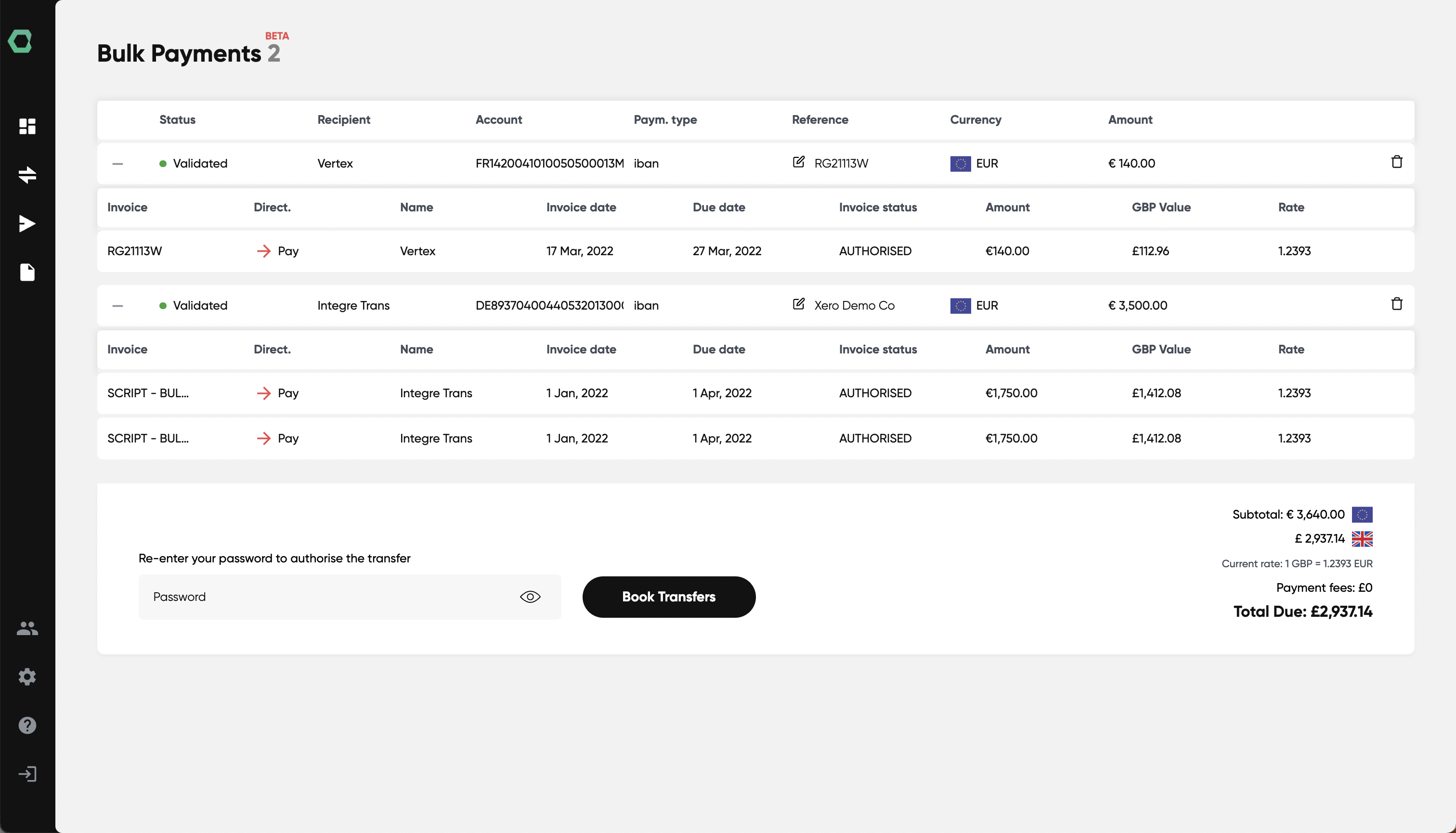
Yes, we support bulk payments and aggregating invoices to the same beneficiary via our Bulk payments flow. Simply choose the invoices you want to pay from the Invoices table. We will process them in bulk and record individual currency payments with correct exchange rates and currency amounts back to QuickBooks:
Which version of QuickBooks does HedgeFlows support?
HedgeFlows integrates with QuickBooks Online. The desktop version of QuickBooks is not currently supported. If you are using QuickBooks Desktop and would like to discuss integration options, please get in touch.
What doesn't your integration do?
We currently don't offer the following:
- Importing sales and purchase orders (coming soon)
- Updating details for saved Contacts using data from QuickBooks. If you want to import updated contact details into HedgeFlows you need to set up a new contact in our system.
- Importing invoices, bills etc. in home currency (coming soon)
- Automatically recording bank transfers from your bank to HedgeFlows for you in QuickBooks (coming soon).
- Recording Collections and Conversion transactions (coming soon).
If you can't find the feature that you would like to see, please contact us.
Where in QuickBooks should I see payments done via HedgeFlows?
Provided you have permitted us to do so during QuickBooks integration setup, we will automatically record foreign currency payments executed from your HedgeFlows account in QuickBooks. Regular currency transfers are recorded in a HedgeFlows Clearing Account. You will need to add a funding transfer from your bank account to the HedgeFlows account manually.
How do payment processing fees appear in QuickBooks?
Payment processing fees will appear on the HedgeFlows Clearing account.